Title
Excerpt
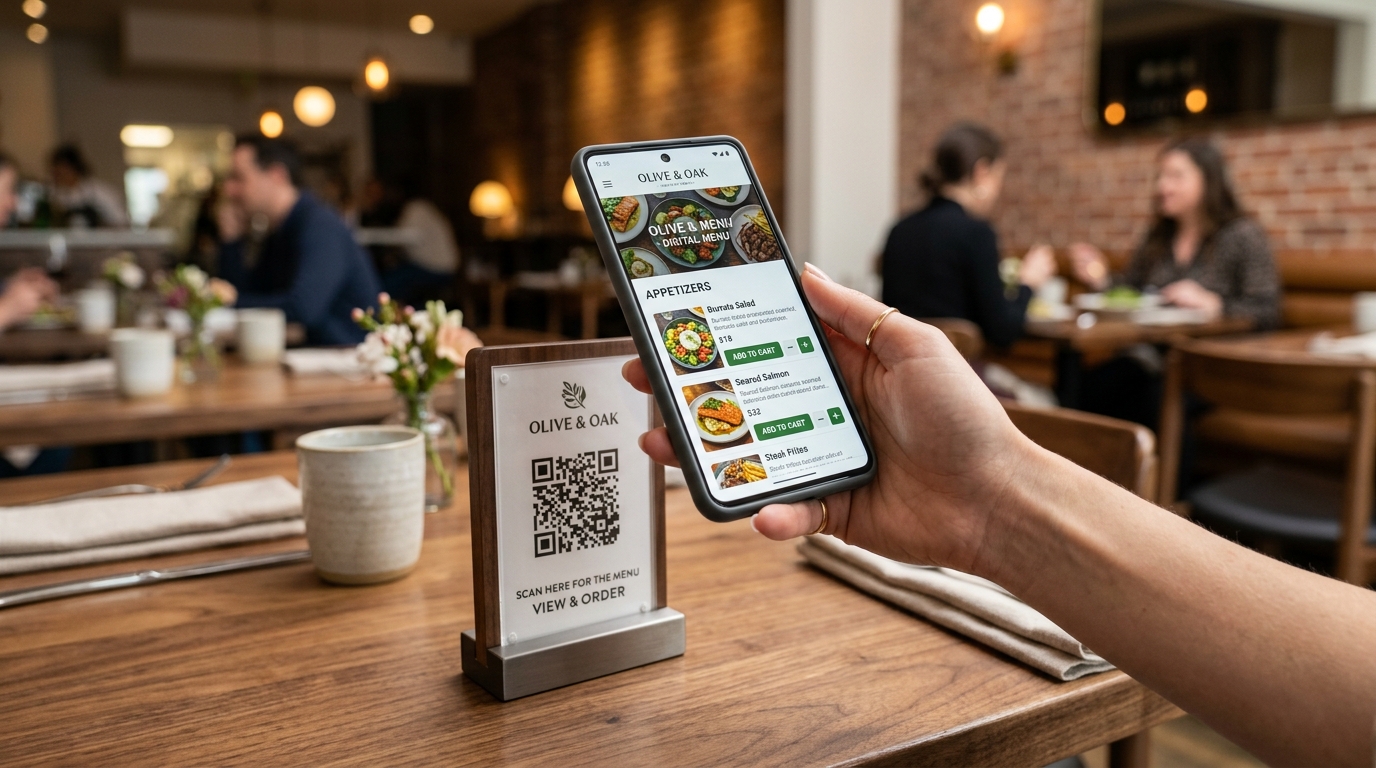
QR-code ordering went from a novelty to a fixture almost overnight, and most diners now think nothing of scanning a table sticker to browse a menu and pay. But there is a huge difference between QR ordering that funnels through a commission-taking marketplace and QR ordering you own outright. This article explains how browser-based, zero-commission QR ordering works, why "no app download" is the single most important design decision, and how to build a QR channel that increases both revenue and margin rather than renting your customers back to you.
What zero-commission QR ordering actually is
At its simplest, QR ordering means a customer points their phone camera at a code, a menu opens in the browser, they select items, and they pay — with the order flowing straight into the restaurant's own point-of-sale and kitchen display. "Zero-commission" means the restaurant does not pay a percentage of each order to a marketplace intermediary. The only unavoidable cost is standard payment processing, which is a small per-transaction fee rather than a double-digit slice of the ticket.
This is a categorically different economic model from ordering through an aggregator. There is no middleman taking 15–30% of the subtotal, because there is no middleman: the code points to your menu, on your infrastructure, settling to your account.
Why "no app download" is non-negotiable
The biggest killer of digital ordering is friction, and nothing adds friction like asking a hungry customer to download an app, create an account, and grant permissions before they can order a coffee. Every one of those steps loses a meaningful share of would-be orderers. Browser-based QR ordering removes them entirely: the menu is just a web page that opens instantly.
The best ordering experience is the one the customer does not have to think about. A scan should lead to a menu in under two seconds, with no install, no login wall, and no friction between craving and checkout.
A well-built QR flow respects a few principles:
- Instant load. The menu opens in the mobile browser with no install step.
- Guest checkout by default. Account creation is optional and offered after a first successful order, not demanded before it.
- Saved payment. Wallets like Apple Pay and Google Pay let a returning customer pay in a tap.
- Clear table or pickup context. The code encodes the table number or the pickup flow, so orders route correctly without the customer explaining where they are.
The revenue upside beyond saved commission
Zero-commission QR ordering is usually pitched as a cost saving, and it is — but the revenue upside is at least as important. Digital menus change customer behaviour in ways paper cannot.
Higher average order value
Digital menus can suggest add-ons, upsells, and pairings at exactly the right moment ("make it a meal," "add a side," "pairs well with"). Because the suggestion is contextual and effortless, it tends to lift the average ticket without the awkwardness of a server upselling. There is no impatient queue behind the customer, so people browse more and add more.
Faster table turns
When customers can order and pay from their phones, servers spend less time walking orders back and forth and more time on hospitality. Tables turn faster during peak service because the ordering and payment bottlenecks are removed. In a busy venue, faster turns directly increase covers and revenue.
Fewer errors
Orders captured digitally go straight to the kitchen display exactly as the customer entered them — no misheard modifiers, no illegible handwriting, no re-keying. Fewer errors means less waste, fewer comps, and happier guests.
QR ordering as a customer-ownership engine
Because a zero-commission QR order happens on your own infrastructure, you keep the data and the relationship. Over time this lets you build genuine loyalty: recognise returning customers, offer them relevant perks, and reach them directly. Compare that with marketplace orders, where the platform owns the customer and you re-acquire them at a cost every single visit. QR ordering, done directly, quietly converts one-time diners into a base you actually own.
Where Nigmet fits
Nigmet is an AI-native restaurant operating system with browser-based QR ordering built in. Customers scan a table or takeaway code, the menu opens instantly with no app download, and the order flows directly into Nigmet's POS and kitchen display. Payments settle to the restaurant's own bank account through a compliant processor, and every order is fiscally receipted automatically because ordering, payments, and compliance are one platform rather than separate tools. The restaurant pays no marketplace commission on QR orders — only standard payment processing — and keeps the customer data that makes loyalty possible.
The conversion funnel behind a QR order
Every QR order passes through a funnel, and revenue is decided by how little you leak at each step. Understanding the funnel tells you where to focus:
- Scan. The customer notices the code and points their camera. Placement and a clear call to action drive this step.
- Load. The menu opens. Speed is everything; a slow page loses people before they see a single dish.
- Browse. The customer explores. Good categories, imagery, and search keep them engaged.
- Add. Items go into the basket. This is where contextual suggestions lift the average order.
- Checkout. Payment. Friction here — a forced account, a clumsy form — is where orders die.
The compounding nature of a funnel is why small improvements matter so much: a modest gain at each of five steps multiplies into a large gain overall. The instant-load, no-login, saved-payment principles are not cosmetic preferences; they are direct interventions at the exact points where funnels leak hardest.
The menu is the product
On a digital channel, your menu is your storefront, your salesperson, and your brand all at once. Investing in it pays back directly:
- Photography. Clear, appetising photos of your actual dishes lift conversion and order value more than almost any other single change. Customers order what they can see.
- Descriptions. Concise, evocative descriptions that mention key ingredients and preparation help customers choose confidently and reduce the anxiety that stalls an order.
- Structure. Logical categories, sensible ordering, and easy navigation reduce cognitive load. A customer who cannot find what they want does not order it.
- Accurate availability. Nothing erodes trust like ordering something, paying, and then being told it is sold out. Live availability prevents this.
Upselling that helps rather than annoys
Digital upselling works when it is genuinely useful and fails when it feels like nagging. The difference is relevance and timing. Suggesting a sauce with fries, a drink with a burger, or a dessert at the end of an order is helpful; bombarding a customer with unrelated add-ons is not. Because the suggestions are contextual and effortless to accept, they lift the average ticket without the social friction of a person upselling — but restraint matters. One or two well-chosen suggestions outperform a wall of them.
Table, takeaway, and the flows in between
A serious QR system distinguishes between order modes, because the customer's needs differ. A dine-in flow encodes the table so food is delivered to the right place and a tab can stay open for additional rounds. A takeaway flow captures a pickup time and name. A delivery flow, where offered, captures an address. The same menu can power all three, but the checkout and fulfilment logic should adapt to the context so the experience feels considered rather than generic.
Accessibility and internationalisation
A browser-based menu has a natural advantage: it can serve every customer well if designed thoughtfully. Sufficient contrast and adjustable text support customers with visual impairments. Clear allergen and dietary labelling helps customers with specific needs order safely and confidently — and increasingly reflects regulatory expectations. And because the menu is digital, offering it in multiple languages is straightforward, which matters enormously in tourist areas and diverse neighbourhoods. A customer who can read the menu in their own language orders more comfortably and spends more.
Turning orders into relationships
The data from direct QR orders is the foundation of loyalty. Because you own the transaction, you can — with appropriate consent and privacy care — recognise returning customers, understand their preferences, and reach them with relevant offers. This is where the channel compounds: a loyalty programme layered onto QR ordering turns one-time diners into regulars, and regulars into advocates. Handle customer data responsibly and transparently, in line with applicable privacy rules, and it becomes a durable asset rather than a liability.
Measuring the return
To know whether your QR channel is working, watch a handful of numbers: average order value on QR versus other channels, the conversion rate through the funnel, repeat-order rate, and the blended cost of acceptance. Because the channel is commission-free, even flat order volume at a comparable average ticket represents recovered margin. If average order value rises — as contextual upselling tends to produce — the gain compounds. Track these monthly and let them guide where you place codes and how you design the menu.
Designing a QR rollout that works
Dropping stickers on tables is not a strategy. A QR channel that actually shifts behaviour needs a little intentional design:
- Placement. Put codes where the decision happens — on tables, at the counter, on takeaway packaging, on receipts, and in your social profiles.
- A reason to scan. "Scan to order and pay," "scan for today's specials," or "scan to skip the queue" gives customers a concrete motive.
- A great menu. Good photography, clear descriptions, accurate availability, and sensible categories do more for conversion than any discount.
- A switch incentive. Include a QR in every delivery bag inviting the customer to order direct next time, converting expensive marketplace acquisition into cheap direct retention.
- Staff buy-in. Train the team to explain the flow warmly; QR ordering should feel like a convenience offered, not a self-service chore imposed.
Common objections, answered
Some operators worry QR ordering feels impersonal. In practice it frees staff from transactional tasks so they can focus on the human parts of hospitality — greeting, recommending, checking in. Others worry older customers will not scan; the answer is to keep QR optional alongside traditional service, not to force it. And some fear technical fragility; a robust system keeps working through brief network drops and never blocks a customer who simply wants to order the old-fashioned way.
A practical first-week checklist
If you are starting from zero, a focused first week gets you a working channel without over-engineering it:
- Day 1–2: Build a clean digital menu with accurate categories, prices, and your best few photos on the highest-margin items.
- Day 3: Set up guest checkout with saved payment and mobile wallets, and test the full flow on your own phone until it feels effortless.
- Day 4: Place codes where decisions happen — tables, counter, and takeaway packaging — each with a clear reason to scan.
- Day 5: Brief the team on how to introduce it warmly and handle questions, framing it as a convenience offered rather than a chore imposed.
- Ongoing: Add one or two contextual upsell prompts, then review average order value and repeat rate monthly and iterate.
The point is to launch something genuinely good quickly, then improve it with real data — not to wait for a perfect menu that never ships. Most of the value comes from getting the fundamentals right — instant load, guest checkout, saved payment, a clear reason to scan — rather than from advanced features you can add later.
The bottom line
Zero-commission QR ordering is one of the highest-leverage moves a restaurant can make: it removes the marketplace's cut, lifts average order value, speeds up service, cuts errors, and hands you the customer relationship. The magic is not the QR code itself — it is the decision to run ordering on infrastructure you own, with an experience so frictionless that customers prefer it. Get the "no app, instant menu, tap to pay" experience right, and the QR code becomes the front door to a channel that grows your margin instead of renting it away.
Curious what a commission-free QR channel could add to your bottom line? See plans and the cost breakdown on our pricing page.