Title
Excerpt
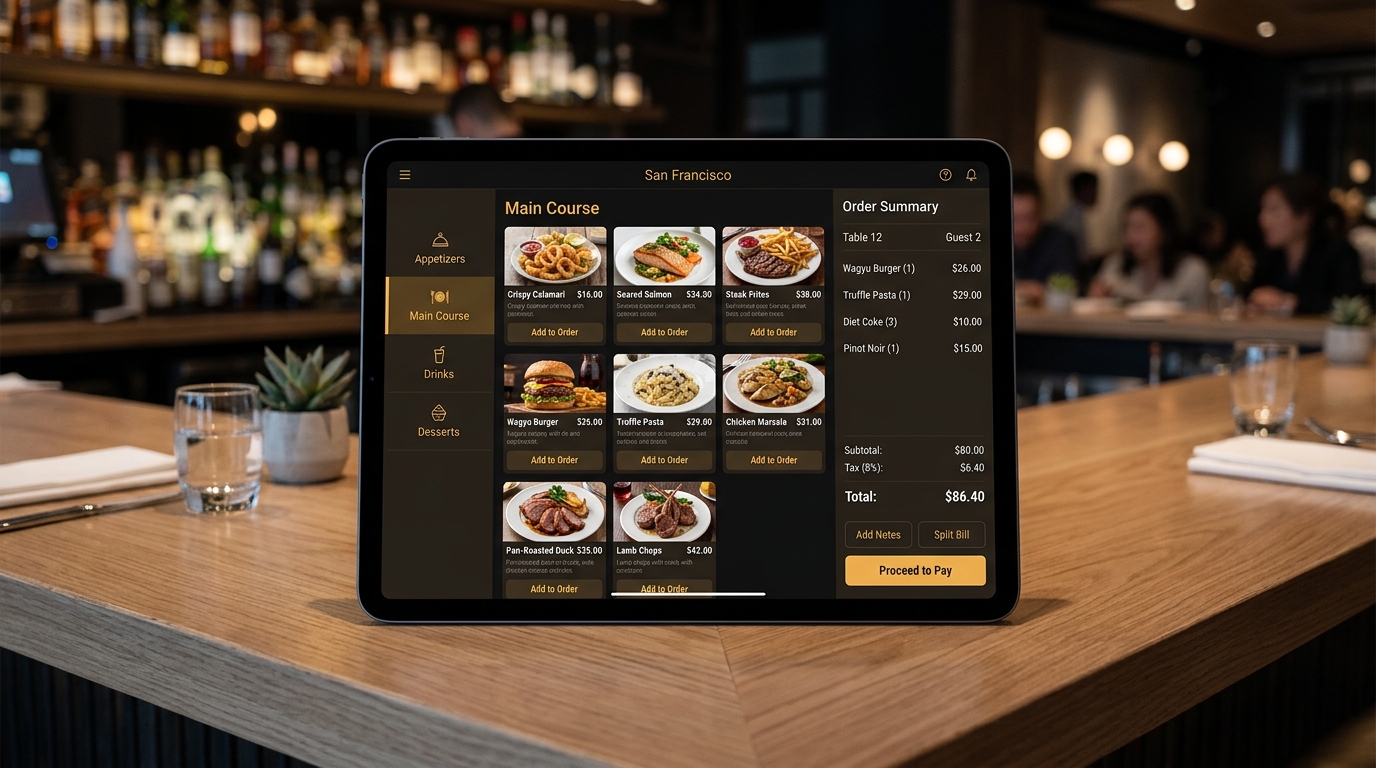
For decades, opening a restaurant meant buying a wall of proprietary technology: a bulky touchscreen till, a cash drawer, a kitchen printer or bump bar, back-office servers, and the maintenance contracts to keep them alive. That model quietly became one of the biggest hidden barriers to entry in hospitality. This article explains what "hardware-free" or bring-your-own-device (BYOD) point-of-sale and kitchen display systems actually are, why they lower both up-front cost and operational risk, and how to evaluate them without falling for either nostalgia or hype.
The legacy of proprietary POS hardware
Traditional point-of-sale (POS) systems were sold as appliances. You bought a specific terminal, running specific software, often on a multi-year contract, with the vendor controlling everything from the touchscreen to the receipt printer. Kitchens got their own dedicated hardware too: heat-resistant screens or ticket printers wired to the front of house. It worked, but it carried a stack of costs that rarely appeared in a single line item.
- Up-front capital. A full front-and-back-of-house setup could run into thousands per station before a single dish was sold.
- Vendor lock-in. Proprietary hardware only ran the vendor's software, so switching providers meant replacing physical equipment.
- Maintenance and repair. Specialised terminals need specialised support, and a dead till on a Friday night is a genuine emergency.
- Obsolescence. Hardware ages, warranties lapse, and replacement cycles arrive whether or not the business can afford them.
Every one of these costs falls hardest on exactly the operators least able to absorb it: independents, new openings, seasonal concepts, and small chains testing a new location.
What "hardware-free" really means
Hardware-free POS does not mean magic — you still need a screen and an internet connection. It means the software runs on general-purpose devices you already own or can buy cheaply anywhere: a phone, a tablet, a laptop, or an inexpensive Android/iOS device. The intelligence lives in the browser or a lightweight app and syncs to the cloud, rather than in a locked-down terminal.
The same idea applies to the kitchen. A kitchen display system (KDS) replaces paper tickets and dedicated bump screens with an ordinary tablet or monitor showing incoming orders, timings, and status. Front-of-house sends an order; it appears on the kitchen screen instantly; the line marks items as they are fired and finished. No printer, no torn tickets, no illegible handwriting.
The shift is from "buy a machine that does POS" to "run POS on the machines you already have." That single change turns a capital expense into a modest, predictable operating cost.
BYOD in practice
Bring-your-own-device means a server can take orders on a phone at the table, a manager can pull reports on a laptop, and the kitchen can watch tickets on a wall-mounted tablet — all running the same system, all kept in sync. A pop-up can operate from a single tablet. A busy full-service restaurant can add a handful of devices across stations. The system scales with the number of screens, not with the number of expensive proprietary terminals.
Why the economics change so dramatically
The most obvious win is up-front cost. Consider a clearly illustrative comparison rather than a vendor claim: outfitting three stations with traditional terminals, drawers, and printers might require a four-figure capital outlay per station plus installation. Running the same three stations on tablets you buy at any electronics store can cost a fraction of that, and the devices are trivially replaceable if one fails.
But the deeper win is risk. When your POS runs on commodity hardware:
- Failure is cheap to recover from. A broken tablet is replaced in minutes with another off-the-shelf device — no service call, no downtime waiting for proprietary parts.
- Redundancy is easy. Keep a spare device in a drawer; it is a fraction of the cost of a backup terminal.
- Upgrades are software, not forklifts. New features arrive over the air. You are never stranded on an ageing appliance the vendor has stopped updating.
- There is no lock-in premium. Because the value is in the software and the cloud, switching costs drop and vendors have to keep earning your business.
The offline question
The most common and most legitimate objection to cloud-based, hardware-free POS is: "What happens when the internet goes down?" A serious system answers this with local resilience. Orders and payments should continue to function in a degraded offline mode, queuing transactions locally on the device and syncing automatically once connectivity returns. The right question to ask any vendor is not "is it cloud-based?" but "what exactly happens to a live order when the network drops for ten minutes during dinner service?"
Good implementations treat the network as an enhancement, not a dependency for basic service. You should be able to keep taking orders and printing or displaying tickets even during an outage, with reconciliation handled when the connection is restored.
Kitchen display systems, specifically
The KDS deserves its own attention because it changes kitchen workflow, not just cost. Paper tickets have real failure modes: they get lost, smudged, or fired out of order, and they carry no timing data. A digital KDS adds capabilities that paper simply cannot:
- Order timing and alerts. Tickets can change colour as they age, so nothing sits forgotten under the pass.
- Course coordination. Items can be grouped, held, and fired so a table's dishes land together.
- Station routing. Grill, fry, and cold items appear at the right station instead of on one shared printer.
- Live analytics. Prep times and bottlenecks become data you can actually manage, not gut feel.
Because it runs on an ordinary screen, adding or moving a KDS station is as simple as plugging in another tablet or monitor.
Where Nigmet fits
Nigmet is an AI-native restaurant operating system designed to run on the hardware you already have. Its POS and KDS are browser- and device-agnostic, so front-of-house, back-office, and the kitchen all share one live system across phones, tablets, and laptops — with local resilience so service continues if the network hiccups. Because the POS, kitchen display, QR ordering, digital signage, and fiscal-compliance layers are parts of one platform rather than bolted-together vendors, an order taken on a table-side phone flows to the kitchen screen, is receipted compliantly, and settles to your bank without a rack of proprietary boxes in the back office.
Total cost of ownership: the number that actually matters
Comparing a legacy terminal to a tablet on sticker price alone misses the point. The honest comparison is total cost of ownership (TCO) over a realistic horizon — say three years — including everything you will actually spend. A legacy stack typically accumulates: the terminal purchase or lease, installation and configuration, a software licence or contract, maintenance and support fees, out-of-warranty repairs, and eventual replacement. A hardware-free stack accumulates: commodity devices, a software subscription, and occasional cheap device replacement.
Consider an illustrative three-station comparison. A legacy setup might involve a substantial per-station capital outlay plus ongoing support and maintenance across three years. A commodity setup might involve inexpensive tablets — a small fraction of the per-station capital — plus the software subscription, with a spare device in a drawer as insurance. Run your own numbers, but for most independents the TCO gap over three years is large, and it is weighted toward the beginning, when cash is tightest. Freeing that up-front capital can be the difference between opening with a comfortable buffer and opening under-financed.
Security on commodity devices
A fair concern about running POS on ordinary tablets and phones is security. The reassuring reality is that a well-designed cloud POS keeps sensitive data off the device entirely. Card payments are handled by a PCI-compliant processor with tokenisation, so card numbers are never stored on your tablet. Application data lives in the cloud behind authentication, not in a file on the device. That said, commodity hardware puts some responsibility on you, and a few practices matter:
- Lock devices to their purpose. Use guided-access or kiosk modes so staff devices run only the POS, not a general-purpose tablet.
- Enforce strong authentication. Individual staff logins with appropriate permission levels, not a shared password on a sticky note.
- Keep devices updated. Commodity devices get frequent security updates; apply them.
- Secure your network. A separate, password-protected network for POS devices is a sensible baseline.
These are ordinary hygiene practices, not specialist tasks, and they are arguably easier to get right on mainstream devices — which receive constant security updates — than on ageing proprietary terminals that may no longer be patched.
Peripherals: what you keep and what you drop
Hardware-free does not mean peripheral-free. Most kitchens and counters still want a receipt printer, a cash drawer, and often a card reader or scale. The difference is that modern systems connect to standard, widely-available peripherals over Bluetooth, USB, or the network, rather than requiring proprietary models locked to one vendor. When evaluating a system, confirm it supports the specific peripherals you need and that they are commodity items you can source anywhere — not single-vendor parts with single-vendor prices.
Data, analytics, and multi-location
A quietly transformative benefit of cloud-based, device-agnostic POS is that all your data lives in one place, accessible from anywhere. An owner can check live sales from home; a multi-site operator can compare locations in real time without visiting each one. Because the system is not tied to a physical back-office server, adding a location is a matter of adding devices and logins, not installing another rack of equipment. Consolidated reporting across locations — sales, labour, inventory, and item performance — becomes the default rather than a painful monthly reconciliation of separate systems.
A pragmatic migration path
Switching POS mid-operation feels risky, which keeps many operators on ageing systems long past their usefulness. A staged migration reduces the risk:
- Parallel run. Set up the new system alongside the old and run a few shifts in parallel to build confidence before cutting over.
- Start with a slow service. Cut over during a quieter daypart, not on your busiest night.
- Train on the floor. Because the interface runs on familiar devices, staff typically learn it quickly; a short hands-on session beats a manual.
- Keep a fallback. Have a spare device and a clear offline procedure so the first network hiccup is a non-event.
How to evaluate a hardware-free system
Not all "cloud POS" is created equal. A short due-diligence checklist:
- Offline behaviour — demand a concrete demo of an order and payment during a simulated outage.
- Device flexibility — confirm it runs on the hardware you intend to use, not a narrowly certified list.
- Peripheral support — receipt printers, cash drawers, card readers, and scales you may still want should connect cleanly.
- Data ownership and export — your sales history is your asset; make sure you can export it.
- Total cost over three years — compare subscription plus devices against the capital and maintenance of a legacy stack, not just the sticker price on day one.
A sustainability angle worth noting
There is a quieter benefit to running on commodity devices you already own: less electronic waste. Proprietary terminals are single-purpose appliances that are discarded when the vendor relationship ends or the model is retired. General-purpose tablets and phones have longer, more flexible lives, can be repurposed, and are part of a mainstream recycling stream. For operators who care about their environmental footprint — and for the growing number of customers who do — a hardware-light setup is a small but real reduction in the equipment a restaurant sends to landfill over its lifetime.
The bottom line
Hardware-free POS and KDS remove one of hospitality's oldest barriers to entry by turning a heavy capital purchase into a light, flexible, software-first setup that runs on devices you already understand. The savings are real, but the durable advantage is resilience and optionality: cheap recovery from failure, over-the-air improvement, and freedom from lock-in. Just insist on genuine offline behaviour and clean peripheral support, and you get the modern experience without giving up the reliability a busy kitchen demands.
See how far your existing tablets and phones can take you. Compare device-friendly plans on our pricing page and start without buying a single proprietary terminal.